How to Reduce No-Shows for Outdoor Lessons: A Practical Guide
Published September 15, 2026

How to Reduce No-Shows for Outdoor Lessons: A Practical Guide
A customer books a $200 lesson.
You block the time on your calendar. Your instructor plans the morning around it. Maybe you set aside equipment, check the forecast, prep a boat, load a trailer, or drive out to the meeting spot.
Then nobody shows up.
Now you're holding an empty slot you probably can't sell again, not this week, maybe not this season.
No-shows sting in almost any business, but they hit outdoor lesson operations harder than most, because one booking rarely ties up just a chair and a time slot. It's an instructor, equipment, transportation, a location, weather, and a few hours of daylight you don't get back.
Here's the part that actually matters, though: most no-shows are preventable. And the fix usually isn't a harsher cancellation policy or five more reminder texts. It's making the whole booking experience clearer from the moment someone books to the moment they arrive.
Your customer should always know what they booked, when to arrive, where to go, what to bring, what happens if the weather looks bad, and what to do if their plans change. The clearer those six things are, the less room there is for a missed lesson.
This guide walks through that whole journey, start to finish.
Table of Contents

Why Customers No-Show
It's tempting to assume a no-show customer just forgot, or didn't respect your time. Sometimes that's exactly what happened. But outdoor businesses run into a whole category of confusion that a hair salon or a dentist's office never has to think about.
Maybe they forgot the date, wrote down the wrong time, couldn't find the meeting spot, assumed rain meant the lesson was off, saw wind and figured it wasn't safe, never actually saw your confirmation email, didn't know what to bring, wanted to cancel but didn't know how, or thought someone else in their group had already handled it.
Some of that is a customer problem. A lot of it is a communication problem.
Picture a first-time sailing customer waking up to rain. You know the lesson's still on. They don't. If nobody told them what to expect, they might just stay home. From your side of the calendar, that looks exactly like a no-show, even though from their side, they thought they were doing the responsible thing.
That's why the real no-show strategy isn't a stricter policy. It's removing the uncertainty that makes someone guess wrong in the first place.
For the bigger picture behind scheduling, staffing, payments, weather, waivers, and customer communication, see The Complete Guide to Running an Outdoor Lesson Business.
What No-Shows Really Cost
The obvious cost is the lost payment. It's rarely the whole cost.
You lose a time slot you can't get back. Outdoor lessons are perishable inventory: an unused 10 a.m. slot doesn't roll over to next week. That stings even more during a busy weekend, a holiday, peak season, or a short stretch of good conditions you won't see again for a while.
You may lose instructor time regardless. Your instructor may have already blocked the morning, driven to the location, loaded gear, and prepped for a customer who never shows. Even if you don't pay for the full lesson, that time is gone.
You may have turned away someone else. If the slot showed as booked, you may have already told another customer you were full. Now you've lost two bookings instead of one.
Someone still has to clean it up. Contacting the customer, updating the instructor, deciding what happens to the payment, adjusting the schedule, handling a possible reschedule, answering the inevitable policy questions, all of that takes real time, even for a single missed lesson.
That's why even a handful of no-shows can create a bigger problem than owners expect. Reducing them isn't only about protecting revenue. It's about protecting your team's time and the limited capacity you actually have.

Build a No-Show Prevention System
Instead of asking "how do I stop customers from no-showing," ask a more useful question: what happens between booking and arrival that could cause this specific customer to disappear? That version of the question actually gives you something to fix.
A simple system looks like this:
Booking → Confirmation → Reminder → Weather or Location Update (if needed) → Lesson
Every step should answer whatever question the customer has at that moment. Right after booking: did my reservation actually go through? Before the lesson: do I still remember the time, place, and what to bring? When the forecast looks iffy: are we still on? If plans change: how do I cancel or move this?
You don't need to message constantly. You need the right information at the right moment. Let's go through it step by step.
Start With a Clear Booking Confirmation
The first real chance to prevent a no-show comes seconds after someone books. Your confirmation should leave zero doubt that the reservation is real and that the customer knows exactly what happens next.
At minimum, include the lesson or activity, date, start time, participant count, meeting location or instructions, what to bring, payment status when relevant, cancellation and rescheduling instructions, what to expect if weather becomes a factor, and how to reach you. You don't need to cram your entire policy manual into this message, just the parts a customer actually needs before they show up.
Be specific about the meeting spot. Outdoor locations are rarely as obvious as a street address. "Meet at the beach" means nothing if there are ten beach accesses. "Meet at the marina" doesn't help if the marina has six docks and three parking lots. Give an actual address, dock number, beach access number, trailhead, parking note, landmark, map link, or description of where to look for your staff.
If you can't pin down the exact spot until you've seen the conditions, say that too, something like "we'll send your exact meeting location by 7 p.m. the evening before your lesson." Now the customer knows they're waiting on one more message, instead of wondering why they never got a location.
Make confirmation automatic wherever you can. A confirmation shouldn't depend on someone remembering to send it at the end of a busy day. Seshana sends booking confirmations and every related update (cancellations, reschedules, reminders) by email automatically, the moment something changes. Whatever system you're running, the rule holds regardless: every confirmed booking should trigger a clear, immediate confirmation.
Send Reminders at the Right Time
Your customer might have booked this morning, or six weeks ago. Either way, the original confirmation shouldn't be the only thing standing between them and a missed lesson.
A reasonable starting cadence: confirm immediately after booking, send a real reminder 24–48 hours out with preparation details, and add a short day-of reminder when it's useful. You won't need all three every time. A long follow-up email six hours after someone books for tomorrow morning probably adds noise, not clarity. But if someone booked a fishing charter three months out, that reminder becomes genuinely important.
Your main reminder should answer six questions: what day is the lesson, what time does it start, where do I go, what should I bring, are we still on if the weather looks questionable, and what do I do if I can't make it. If your reminder covers those six, it's doing its job.
Don't overdo it. Past a certain point, reminders stop being helpful and start being noise. Three useful messages beat six that all say the same thing. Think of each message as having exactly one job: confirmation says "you're booked," reminder says "here's what you need," update says "something changed."
Use Email and Text for Different Jobs
You don't have to pick one. Email and text are good at different things.
Email carries the detail — full booking information, preparation instructions, longer directions, waiver links, cancellation policy, anything the customer might want to look up again later.
Text carries the urgent and the short. When a customer has opted in and your setup supports it, a quick text works well for reminders, location changes, time changes, cancellations, reschedules, and other last-minute updates. If a dock changes an hour before a sailing lesson, a short text is a lot more likely to get seen than a long email buried in an inbox. That doesn't mean every update needs to become a text, just use whichever channel fits the message.
Seshana supports text updates for exactly these kinds of lesson communications, giving customers a fast, hard-to-miss channel for anything urgent.
Use Payments to Create Commitment
Reminders help people remember. They don't always make someone feel committed. That's where your payment structure can do real work.
Someone who's already put $200 toward a lesson tends to treat that reservation differently than someone who filled out a form with nothing at stake.

Full payment at booking creates the strongest commitment and leaves less to collect later, but it also means your refund, cancellation, and weather policies need to be airtight, since you're holding the customer's money.
A deposit at booking gives the customer a reason to follow through without asking for the full amount upfront. You'll still need a plan for collecting the balance.
Pay-later can suit some businesses, but it leaves you carrying more risk if the customer simply disappears.
There's no universal right answer: a $60 group class and a $900 private charter shouldn't run on the same rules. Weigh price, demand, how far ahead people book, how hard the slot is to refill, and how often weather forces a change. Seshana supports pay-in-full, deposit, and pay-after options through Stripe, so you can match your payment policy to the risk of each booking instead of using one rule for everything.
Payment creates commitment. It doesn't replace communication: a customer who's already paid can still forget the lesson or drive to the wrong location.
Make Your Cancellation Policy Easy to Understand
A good cancellation policy helps the customer make the right call before there's a problem. It should plainly cover how much notice you need, how to cancel, whether rescheduling is an option, what happens to money already paid, what counts as a late cancellation, what happens after a no-show, what happens if your business cancels, and how weather changes are handled.
Keep three situations distinct: a customer cancellation (they tell you they can't make it), a no-show (they don't arrive and never properly cancelled), and a business or weather cancellation (you decide the lesson can't run). These aren't the same event, and your policy shouldn't treat them the same way.
Above all, don't hide the policy. If customers only find out your no-show rules after they've already missed a lesson, the policy did nothing to prevent it.
Handle Weather Before It Creates Confusion
This is one of the biggest differences between outdoor lessons and a normal appointment: your customer is watching the weather too, they just don't know how to read it for your specific activity.
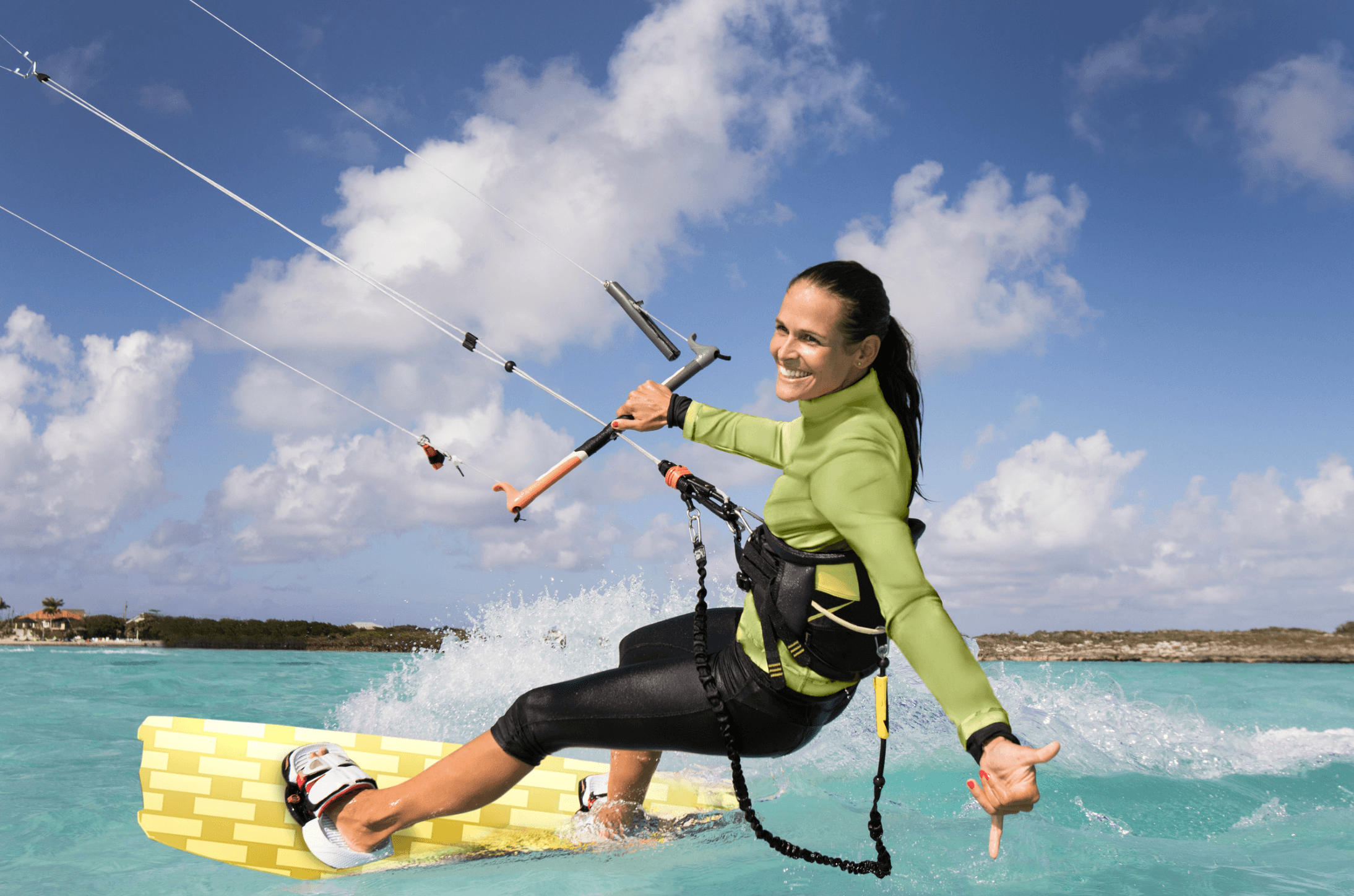
A kiteboarding customer might see strong wind and assume the lesson's unsafe, when you see ideal teaching conditions. A fishing customer might see a rain icon and assume the trip's cancelled, when you know the system will clear before departure. A mountain bike customer might see yesterday's rain and have no idea whether the trails are actually open.
If you don't explain how the decision gets made, the customer will make it for you, usually by staying home.
Tell customers not to guess. Something like: "Outdoor conditions can change. Please don't assume your lesson is cancelled based on a general forecast. If conditions require a change, we'll contact you using the information on your booking." Adjust the wording to match how your business actually operates.

Tell them when to expect an answer — the evening before, early that morning, two hours before departure, whatever fits your activity. Some lessons need a later call than others. That's fine. The important part is that the customer knows the timeline in advance, instead of refreshing a weather app and guessing.
Seshana puts live weather and wind data right on your schedule, with tide and wave information available too, pulled from Open-Meteo and NOAA. It doesn't decide whether a lesson should be cancelled. That call stays with the qualified people responsible for the activity, where it belongs.
Make Rescheduling Easier Than Disappearing
Picture a customer realizing the night before that they can't make their lesson. You want them to tell you: that gives you a chance to apply your policy, move the booking if appropriate, and maybe even refill the slot. But if changing a booking feels confusing or like a hassle, some customers will just avoid dealing with it and disappear instead.
Make the correct next step obvious: whether they can reschedule, how to ask, how much notice you need, and what happens to their payment. You don't need to allow unlimited changes, you just need one clear process.
Give them a single obvious path. Don't make customers dig through old emails for the right phone number, contact an individual instructor when the office actually controls the schedule, or guess whether to email, text, or call. Pick one path and repeat it in every confirmation and reminder.
Update everyone when the lesson actually moves. A reschedule isn't finished when the customer agrees to a new time. The schedule, the instructor, and anything else affected need to reflect the change too. Seshana lets admins reschedule lessons directly on the shared schedule and automatically sends the customer a reschedule email, keeping staff and customer looking at the same record.

Give Instructors a Clear Late and No-Show Process
Even a solid system won't stop every no-show. What it can do is make sure your instructors aren't improvising a policy on the spot, one leaving after ten minutes while another waits for forty-five.
Decide the late-customer process ahead of time: how long to wait, who contacts the customer, whether the instructor or the office makes the call, whether a shortened lesson is still possible.
Decide the no-show process too: when a booking officially becomes a no-show, who records it, who contacts the customer, who fields payment questions, and whether rescheduling is on the table.
Keep it simple enough that your instructor isn't inventing business policy while standing at a trailhead or waiting on a dock.
Follow Up After a No-Show
When someone misses a lesson, reach out. You don't need to open with an angry message, start by finding out what actually happened.
A short message can do four things: acknowledge ("we missed you at today's lesson"), check in ("is everything okay?"), explain ("here's how our no-show policy applies"), and offer a next step if one exists.
The answer often teaches you something. Maybe they went to the wrong beach access, assumed the lesson was cancelled, never got the reminder, had the wrong start time, or tried calling and couldn't reach anyone. One odd mistake is probably bad luck. Five customers making the exact same mistake means you've found something worth fixing.
Track Your No-Show Rate
You can't tell whether any of this is working if you never measure it.
No-show rate = no-shows ÷ expected bookings × 100. If 100 bookings were expected to arrive and 4 didn't show or properly cancel, your rate is 4%. There's no universal benchmark worth chasing. Your own trend over time is what actually matters. If you tighten your reminder process and the rate drops over the following months, that's your answer.
Record why, not just that it happened. A simple reason tag (forgot, weather confusion, wrong time, wrong location, travel issue, couldn't reach the business, unknown) turns a list of no-shows into a diagnostic tool.
Look for patterns across lesson type, location, booking source, how far in advance the booking was made, paid versus unpaid, and first-time versus returning customers. Maybe most no-shows come from bookings made more than a month out. Maybe one meeting location causes most of the confusion. Maybe unpaid reservations no-show at a noticeably higher rate than paid ones. You don't need to overhaul the whole business, you need to find the one part of the process actually causing the problem.

10 Proven Ways to Reduce No-Shows
You don't need to change everything at once. Start here.
Confirm every booking immediately. Don't leave anyone wondering whether their reservation went through.
Send a real reminder before the lesson. Don't expect someone to remember every detail from an email sent weeks ago.
Make the meeting location unmistakable. Specific directions, landmarks, and parking notes beat vague descriptions every time.
Explain how weather decisions actually work. Tell customers not to assume cancellation unless they hear it from you directly.
Collect payment or a deposit where it fits. A financial stake gives the reservation more weight.
Make your cancellation policy easy to find. Customers should know the rules before they ever need them.
Give customers a simple way to reschedule. Make the right move easier than just disappearing.
Use text for time-sensitive updates. When customers have opted in and your setup supports it, a short text beats a buried email for last-minute changes.
Give instructors a clear no-show procedure. They should know exactly how long to wait, who calls, and what happens next.
Track why no-shows happen. Stop solving the same problem one customer at a time, find the pattern and fix the source.
Common Mistakes That Lead to More No-Shows
Only sending the original confirmation. A confirmation from two months ago isn't a reminder, send something closer to the actual lesson.
Assuming customers read the weather the way you do. They don't have your experience. Spell out what happens when conditions are questionable.
Sending too many reminders. More messages don't automatically mean more attention. Make each one earn its place.
Making cancellation harder than it needs to be. You want customers telling you when they can't come, don't put obstacles in the way.
Burying the important parts of your policy. Clear rules prevent more problems than a surprise penalty ever will.
Forgetting to update the instructor. If a customer reschedules but the instructor never hears about it, you've traded one problem for another. Keep everyone looking at the same schedule.
Blaming every missed lesson on the customer. Sometimes that's fair. Sometimes your directions were the actual problem. Track the reason before deciding which one it was.
Your No-Show Prevention Checklist
When the customer books — Confirmation sent immediately · Date and time confirmed · Clear location information · What to bring is explained · Weather process explained · Cancellation/rescheduling instructions shown · Payment or deposit collected where appropriate
Before the lesson — Useful reminder sent · Time and location repeated · Weather update sent if needed · Location change sent if needed · Contact information easy to find
On lesson day — Instructor has the current schedule · Schedule changes reached everyone · Late-customer process is followed · Real no-shows recorded consistently
After a no-show — Customer contacted · Reason identified · Policy applied consistently · Reason recorded · Any clear communication gap fixed
Once a month — No-show rate calculated · Main reasons reviewed · Patterns identified · Weakest part of the process improved

Make Showing Up Easy
The best no-show strategy was never the harshest policy. It's a customer journey with almost no room for confusion.
When someone books, they should know exactly what happens next. Before the lesson, they should know where to go and what to bring. If the weather looks questionable, they should know who makes that call and when. If plans change, they should know exactly how to reach you. And when someone does miss a lesson anyway, you should have a clear, consistent way to handle it and learn from it.
Start with the basics: confirm the booking, remind the customer, explain the weather process, make the location unmistakable, set fair policies, make changes simple, and track what goes wrong. Small improvements here protect your schedule and make the experience better for the customer at the same time. Those two goals aren't actually in tension.
For the bigger picture on scheduling, instructors, waivers, payments, equipment, weather, marketing, and growth, see The Complete Guide to Running an Outdoor Lesson Business.
FAQ
How can an outdoor lesson business reduce no-shows? Start with clear booking confirmations, timely reminders, specific meeting instructions, weather communication, a readable cancellation policy, and an easy way for customers to reach you when plans change. Deposits or full payment at booking can add commitment where they fit your business.
When should I send a reminder for an outdoor lesson? A reminder 24–48 hours out is a solid starting point for most businesses, with a short same-day reminder when it adds value. Adjust timing based on how far ahead your customers typically book.
Should I send reminders by email or text? Use email for detail: directions, prep instructions, policies. Use text for short, time-sensitive updates when the customer has opted in and your setup supports it.
Should I require full payment to prevent no-shows? Not necessarily. Full payment, deposits, and pay-later can each work depending on your price, demand, booking window, weather risk, and how hard an empty slot is to refill.
Do deposits actually help reduce no-shows? A deposit gives the customer a financial stake in showing up, which encourages follow-through or at least a heads-up if plans change. Pair it with clear reminders and communication. It's not a substitute for either.
What should a no-show policy include? What counts as a no-show, how much notice is needed to cancel, whether rescheduling is allowed, what happens to money already paid, and how the rules differ when the business itself cancels for weather or another reason.
How can I prevent weather-related no-shows? Tell customers not to assume cancellation based on a general forecast. Explain who makes the call, when they'll hear an update, and how you'll reach them if anything changes.
What should I do after a customer no-shows? Contact them, find out what happened, apply your policy consistently, and record the reason. If the same explanation keeps coming up, look for a gap in your booking or communication process.
How do I calculate my no-show rate? Divide no-shows by expected bookings, then multiply by 100.
Can Seshana help with no-show prevention? Yes. Confirmations, reminders, cancellations, and reschedule updates go out automatically by email, so nothing depends on someone remembering to hit send at the end of a busy day. Text reminders are available too, giving customers a fast, hard-to-miss nudge before their lesson. Less manual follow-up for your team, fewer surprises for your customers, and fewer empty time slots on your schedule.
Related
- The Complete Guide to Running an Outdoor Lesson Business
A practical guide to running and growing an outdoor lesson business, from scheduling instructors and handling weather to payments, waivers, equipment, marketing, hiring, and scaling.
- Outdoor Lesson Scheduling: The Complete Guide
A tactical guide to scheduling outdoor lessons: instructor availability, weather planning, group capacity, cancellations, rescheduling, and choosing the right booking workflow for each lesson type.